
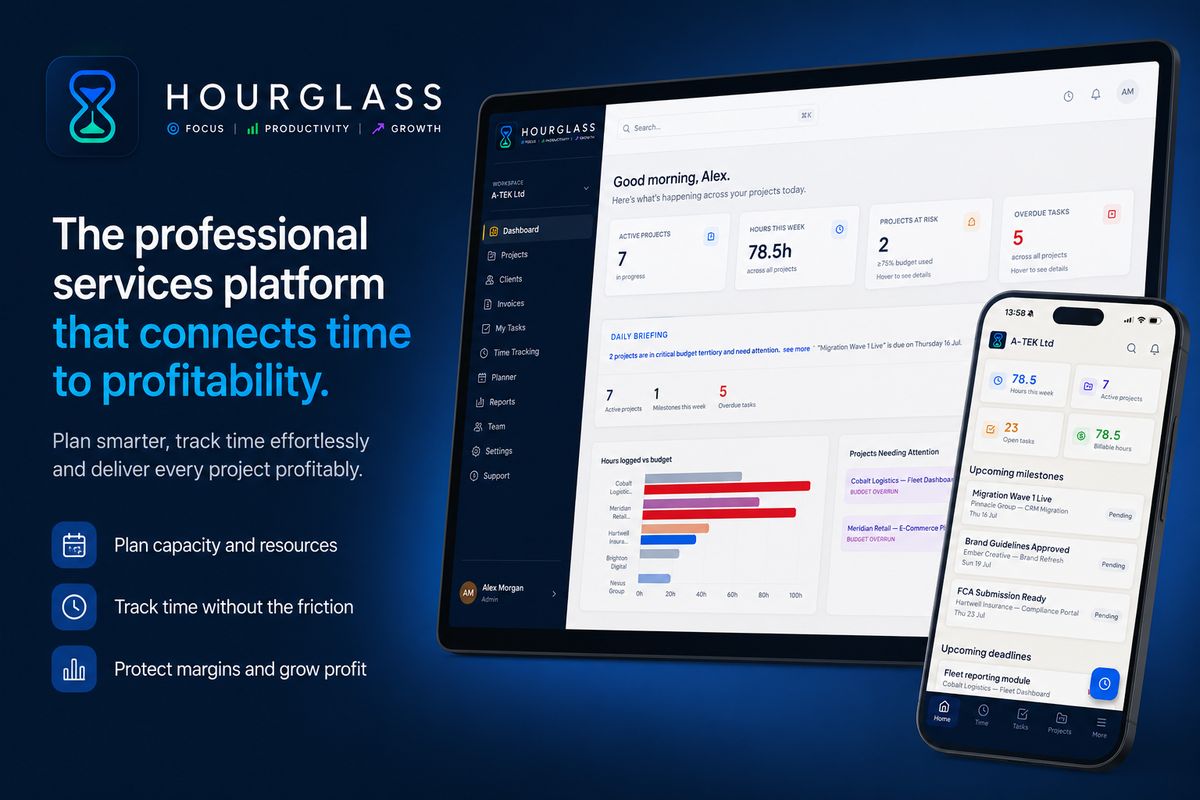
For professional services teams — agencies, consultancies, IT firms, and engineering practices — efficiency isn't a nice-to-have. It's the difference between a profitable month and a painful one. Yet most teams still rely on fragmented tools, manual spreadsheets, and best-guess estimates to manage their most important resource: time.
Hourglass is built to change that. Here's how professional services teams are using it to maximise team efficiency, close the gap between planning and delivery, and bring AI-powered intelligence into their day-to-day operations.
1. Streamlined Task Management
Scattered tasks across email threads and ad-hoc spreadsheets are one of the biggest sources of delivery friction. Hourglass gives every project a dedicated space — with tasks, milestones, assigned team members, and delivery status all visible in one place.
Project managers can create and assign tasks directly from the project view, track completion against milestones, and escalate delivery risks without switching tools. Engineers see their own tasks clearly, understand their priorities, and log time against specific deliverables — so nothing falls through the gaps between planning and execution.
The result: less time spent chasing updates, more time spent delivering.
2. Comprehensive Time Tracking
Most time tracking problems aren't caused by people refusing to log time — they're caused by tools that make it harder than it should be. Blank timesheets, double entry, and end-of-week reconstruction all create friction that leads to incomplete data.
Hourglass removes that friction by pre-filling each engineer's time tracking view with the work already scheduled in the planner. Logging time is a one-click action against assignments that already exist. A persistent live timer is available from every page in the application, so time can be tracked in real time rather than reconstructed later.
The output is accurate, complete time data — captured at source, without the chasing and reminders that consume so much management time in teams using generic tools.
3. Clear Project Visibility
One of the most common efficiency killers in professional services is the late discovery of problems. A project overruns its budget — but no one noticed until the PM did their monthly review. A team member is significantly overloaded — but no one spotted it until delivery started slipping.
Hourglass addresses this with live RAG health scores (Red, Amber, Green) on every active project, real-time budget burn rates, and predictive budget exhaustion dates based on actual weekly spend velocity. Project managers see which projects need attention this week — not which ones needed attention last month.
The eight built-in reports extend this visibility across the full business: team performance, project profitability, client billing, executive summaries, resource utilisation, and more — all available instantly across any date range, with no configuration required.
4. Advanced Integration Capabilities
Efficiency tools only deliver value when they fit into existing workflows rather than creating new ones. Hourglass is designed to work alongside the tools professional services teams already use.
All reports are exportable to CSV and PDF — making it easy to feed Hourglass data into existing finance systems, client reporting templates, or board packs. The billing report produces client-ready summaries that can be sent directly or imported into invoicing workflows. Time audit logs provide the complete, structured records needed for compliance, billing disputes, and internal reviews.
There's no complex integration project required. Hourglass can run alongside existing tools during a transition period, so teams can adopt it incrementally rather than committing to a full cutover on day one.
5. Enhanced Team Communication
One of the quieter efficiency costs in professional services is the time spent writing project updates — status reports, client emails, account reviews. For teams managing ten or twenty active clients, this alone can consume hours every week.
Hourglass addresses this directly. The AI-powered client narrative feature generates professional, client-ready project update paragraphs based on live project data — hours logged, budget consumption, and team activity. These are designed to be used directly in client emails or status reports, with minimal or no editing.
Planner workload summaries give managers a written brief of the week's capacity picture before schedules are published — who is carrying what, whether any imbalances exist, and what needs addressing before the week begins. It turns what used to be a 30-minute capacity conversation into a 2-minute review.
6. AI-Powered Delivery Intelligence
Beyond reporting, Hourglass includes purpose-built AI that turns project data into decisions — automatically.
Instant Report Summaries generate plain-English interpretations of all eight built-in reports. Instead of reading rows of data and forming your own conclusions, you get a clear written summary of what the numbers mean, in seconds.
Budget Risk Analysis identifies which active projects are at risk of overrunning before they do — factoring in current consumption, recent burn velocity, and time remaining. A Monday morning portfolio review goes from 45 minutes to 5.
Anomaly Detection scans time entry patterns across the team and flags unusual behaviour automatically: engineers logging excessive hours in a single day, active projects with no recent time recorded, patterns that suggest burnout risk or stalled work.
Predictive Budget Exhaustion calculates when each project's budget will run out based on the last four weeks of actual burn rate — and displays the predicted exhaustion date directly on the budget report and project health dashboard. No button press. No formula. Just the date, visible when you need it.
Getting Started: The Implementation Process
Setup Process
Most teams are fully operational within a day. Creating an organisation, inviting team members, configuring projects, and setting billing rates takes minutes. There's no data migration required — Hourglass can run alongside existing tools during the transition. The Starter plan is free for up to three team members and requires no credit card.
Team Training and Buy-In
Adoption is the most common reason efficiency tools fail. Hourglass is designed with this in mind. Engineers interact with a single, pre-filled time tracking view — the tool does not ask them to learn new workflows, it fits into the ones they already have. For project managers, the planner and project health views are intuitive by design. Most teams reach full adoption within the first two weeks without a formal training programme.
Continuous Improvement
Efficiency gains compound over time. As more data flows through Hourglass, the reports become more meaningful, the AI insights become more relevant, and the patterns that emerge from utilisation and profitability data give leadership more material to act on. Teams that use Hourglass consistently report a meaningful shift — from reactive problem-solving to proactive delivery management.
Frequently Asked Questions
Can Hourglass support remote and distributed teams?
Yes. Hourglass is a cloud-based platform accessible from any device or location. The mobile-friendly time tracking interface means engineers can log time from anywhere. The Engineer Planner gives managers visibility across the full team regardless of where individuals are working. Time off, capacity, and delivery status are all visible in one place — there's no dependency on people being in the same office.
What tools does Hourglass integrate with?
Hourglass exports data to CSV and PDF, making it compatible with any finance, invoicing, or reporting tool that accepts standard file formats. The platform is designed to fit into existing workflows rather than replace them wholesale. For teams on the Business plan, dedicated onboarding support is included to help configure Hourglass around existing processes.
What reports are included with Hourglass?
Hourglass includes eight built-in reports: Team Performance, Project Profitability, Budget Tracking, Client Billing, Executive Summary, Resource Utilisation, Time Audit Log, and Project Health. All are available instantly across any date range, team, or project — with no configuration required. On Pro and Business plans, AI-generated summaries are available for each report, turning data into plain-English insights automatically.
Hourglass is available at hourglass.syncrasoft.com. The Starter plan is free — no credit card required. Pro starts at £12 per user per month.