Building Modern Mobile Applications
Discover the technology stack and development process behind Tiny Tot Tracker and Anchor Wellbeing...
Mobile app development news, Microsoft Azure tips, Office 365 guides, and technology insights from the Syncrasoft team.
Discover the technology stack and development process behind Tiny Tot Tracker and Anchor Wellbeing...
Key strategies for effective business management and growth in today's digital age...
Essential guidance for monitoring and supporting your child's growth journey with technology...
Most UK businesses use less than 20% of their Microsoft 365 subscription. Here's what you might be overlooking...
Cloud migration doesn't have to be complicated. A practical guide for UK small and medium businesses considering Azure...
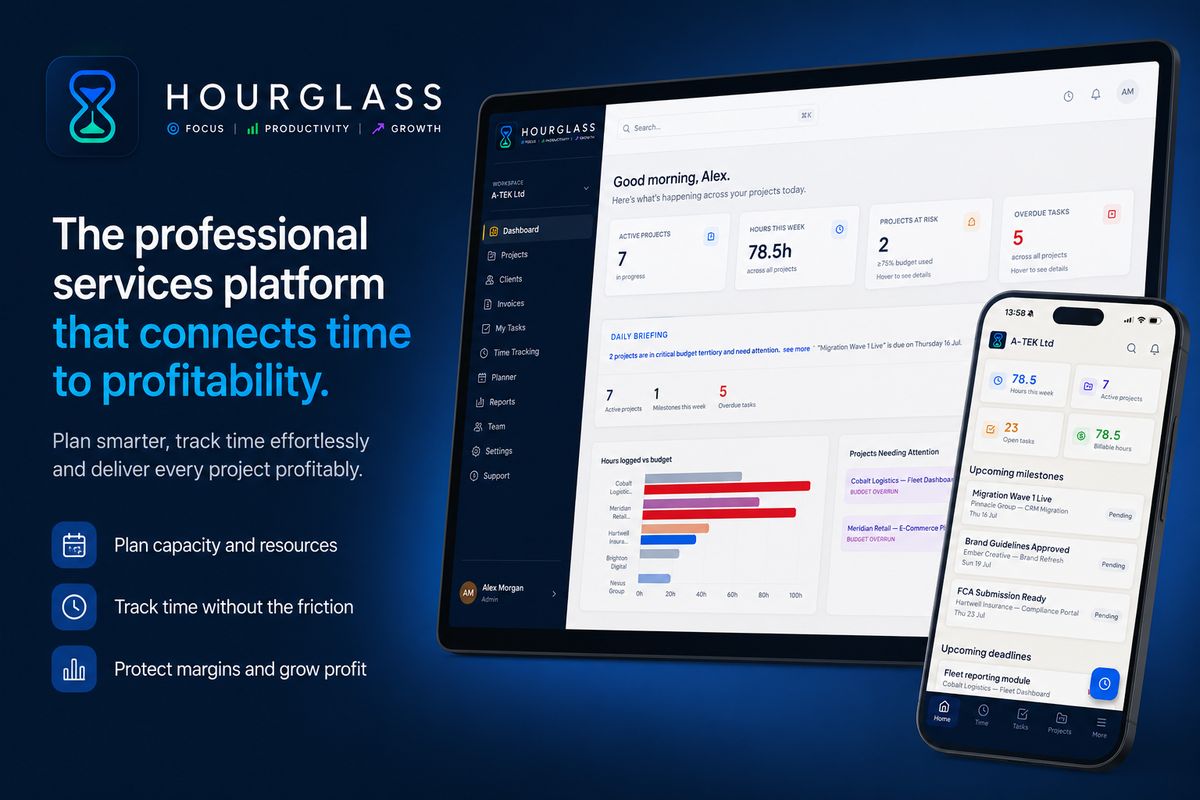
How professional services teams are using Hourglass to eliminate time waste, improve project visibility, and drive profitability with AI-powered delivery intelligence...
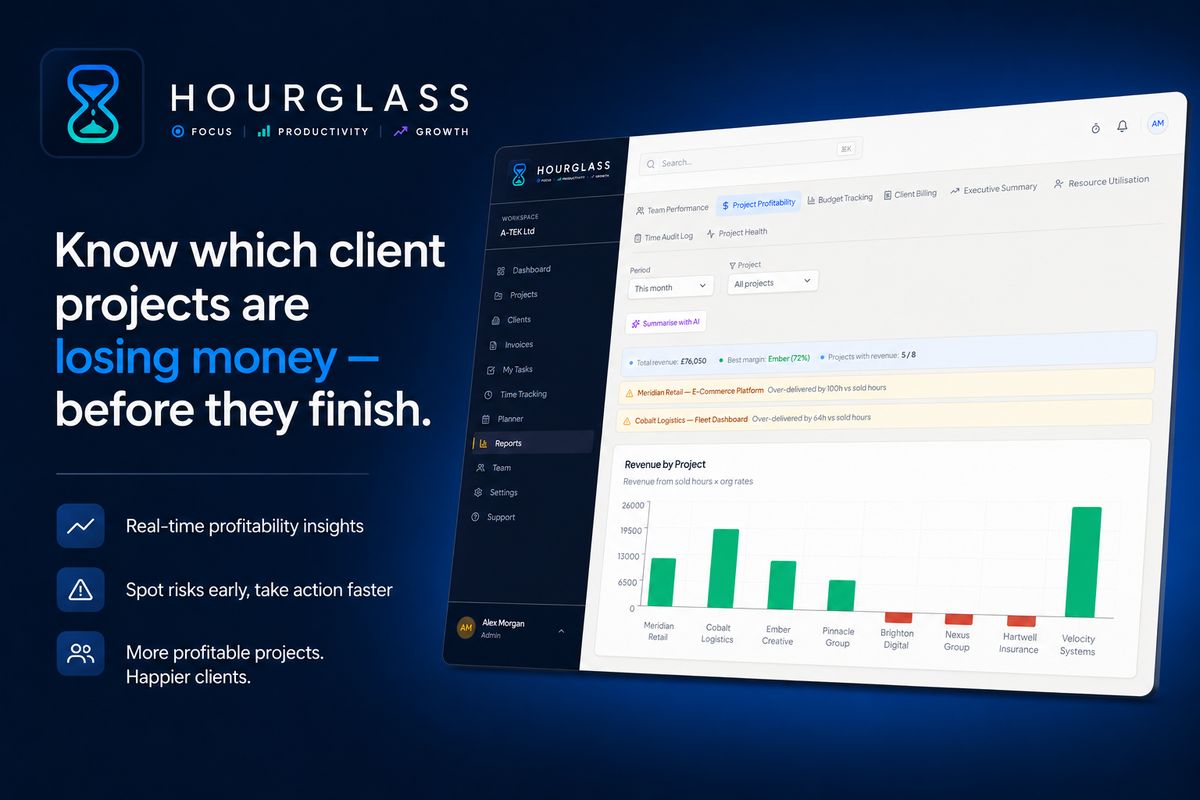
Most professional services firms don't discover project losses until the invoice is sent. Here's how to get real-time profitability visibility and act before the damage is done...
Running a UK agency without real-time profit data means discovering margin losses long after you can do anything about them. Here's what project profitability software actually does differently...
Utilisation is the heartbeat metric for any professional services firm. A 5-point improvement in billable utilisation can add over a million pounds in revenue from the same team — here's how to track it properly...
A practical step-by-step framework for measuring project margin as work happens — not after the damage is done. Written for UK consultancy principals, finance leads, and operations managers...
Enterprise PSA tools are built for large firms with big budgets and dedicated administrators. Here's what small UK agencies actually need — and how to evaluate what's on the market without getting burned...
Without a clear picture of who is working on what and when capacity is available, professional services firms end up overloaded, under-margin, and reactive. Here's how to fix that...
At Syncrasoft, every product we build starts with the same question: what does the user actually need? From there, we choose the right tools for the job — not the trendiest ones. Here's a look at how we approach modern app and web development.
For mobile apps like Tiny Tot Tracker and Anchor Wellbeing, we use native iOS development (Swift/SwiftUI) to deliver the performance and platform integration that users on Apple devices expect. Native development means smoother animations, better battery life, and access to the latest iOS features — things that cross-platform frameworks can still struggle to match.
For web-based platforms like Hourglass, our project management and time tracking tool, we use Next.js 16 with the App Router for a fast, server-rendered experience, Supabase as our backend (PostgreSQL with row-level security and real-time subscriptions), and Tailwind CSS v4 for a clean, maintainable design system. TypeScript runs throughout — it catches bugs early and makes large codebases far easier to maintain.
We work in short, focused cycles. Each feature is designed, built, tested, and reviewed before we move on. This keeps quality high and avoids the "big bang" releases that cause problems at launch.
Both Tiny Tot Tracker and Anchor Wellbeing incorporate AI-driven insights. Rather than bolting on AI as a gimmick, we integrate it where it genuinely adds value — surfacing patterns in a child's development data, or identifying early signs of workplace stress before they escalate. The underlying models run securely, with user data never used for training without explicit consent.
If you're considering a bespoke mobile or web application, the technology choices made at the start have a lasting impact. We're happy to advise on the right approach for your project — whether that's a native mobile app, a web-based platform, or something in between. Get in touch with the Syncrasoft team to start the conversation.
Running a small or growing business in the UK means wearing a lot of hats. Whether you're a founder, freelancer, or managing director of an SMB, the principles below can make a tangible difference to how your business operates day to day.
Cash flow kills more businesses than lack of sales. Set up a simple dashboard — even a spreadsheet will do — that shows your current cash position, outstanding invoices, and committed spend for the next 90 days. Review it weekly, not monthly. Surprises in business finances are rarely good ones.
If you bill by the hour or run client projects, you need to know which work is actually profitable. Many professional services firms discover — often too late — that their busiest clients are their least profitable ones. Tracking time against project budgets gives you the data to make better decisions about pricing, resourcing, and which clients to prioritise.
Tools like Hourglass (currently in early access) are built specifically for this — combining time tracking, kanban project management, and budget health monitoring in one platform designed for agencies, consultancies, and service firms.
Before hiring your next person or taking on more clients, document how you do things. Onboarding processes, client communication templates, recurring task checklists — these seem like luxuries when you're busy, but they're what allow you to delegate confidently and maintain quality as you grow. A business that runs on the founder's memory alone doesn't scale.
Time is the one resource you can't recover. Block focus time in your calendar and treat it like a client meeting. Batch similar tasks together — all calls in one morning, all admin in one slot. Learn to say no to work that doesn't align with where you're taking the business. Every "yes" to the wrong thing is a "no" to the right one.
Retaining a client costs a fraction of acquiring a new one. Check in with clients between projects, share relevant insights or news that might benefit them, and ask for feedback regularly — not just at the end of an engagement. The businesses that grow most reliably do so through referrals, and referrals come from relationships.
There is almost certainly work your team does every week that could be automated — approval workflows, data entry, report generation, follow-up emails. Microsoft Power Automate (included in most M365 subscriptions) and tools like Zapier can eliminate hours of manual work with no coding required. Audit your week and ask: what would I automate if I could? Then do it.
Every child develops at their own pace, and that's completely normal. But having a clear picture of how your child is growing — physically, cognitively, and emotionally — helps you celebrate the wins, spot anything that needs attention early, and feel more confident as a parent.
Child development is typically grouped into broad age-based stages, each with its own milestones to look out for:
Keeping a log of your child's development isn't about obsessing over data — it's about having a reliable record that helps you notice patterns and have informed conversations with health visitors, GPs, and nursery staff.
Useful things to track regularly include:
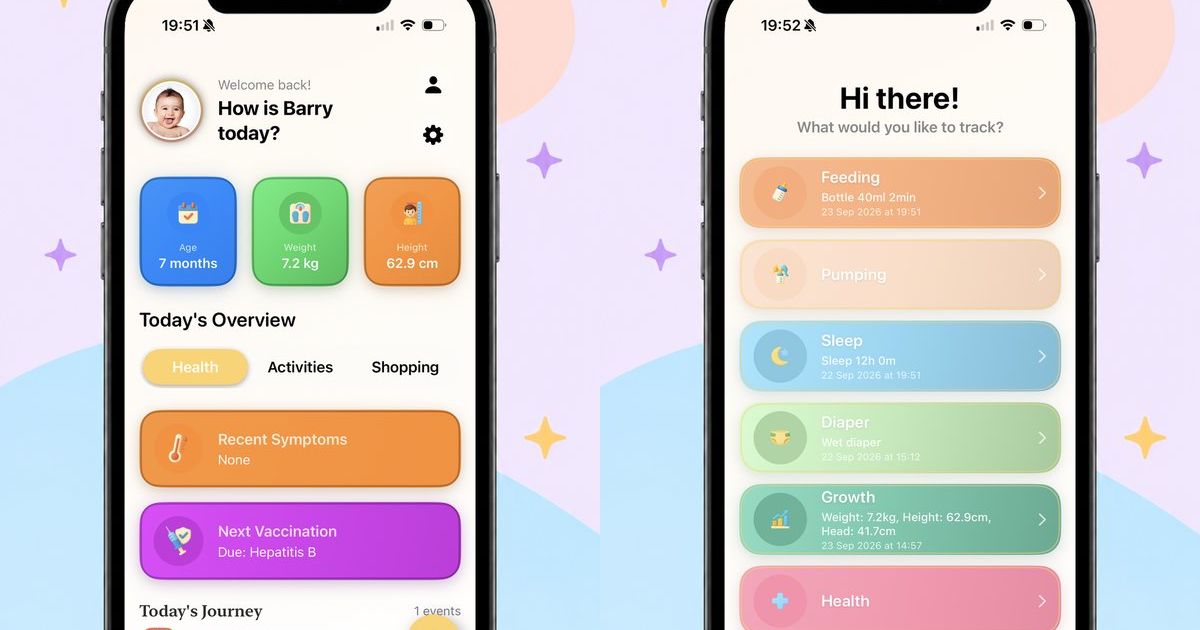
Tiny Tot Tracker was built to make this effortless. The app lets parents log feeds, naps, health measurements, and milestone moments in seconds, with AI-powered insights that help you understand the patterns in your data — available now on the App Store.
Predictable routines reduce stress for both children and parents. Children thrive on knowing what comes next — it gives them a sense of safety and control. A simple feed-play-sleep pattern for younger babies, or a consistent morning and bedtime routine for toddlers, can make a significant difference to mood and behaviour.
That said, routines should serve your family — not the other way around. Be flexible when you need to be, and don't feel guilty when life gets in the way. The goal is consistency over time, not perfection every day.
If you're concerned that your child isn't meeting developmental milestones, speak to your health visitor or GP. Early intervention, where needed, makes a real difference — and more often than not, there's nothing to worry about. Tracking your child's development over time means you'll have useful information to share when you do seek advice, rather than trying to recall specifics from memory.
Automate repetitive tasks — approvals, notifications, data entry — without writing a single line of code. Most M365 licences include this at no extra cost.
Replace your traditional phone system with Teams Phone. Make and receive calls from your computer or mobile — no desk phone required.
SharePoint is far more than file storage. A well-designed SharePoint intranet can transform internal communications and knowledge sharing.
Advanced anti-phishing, safe attachments, and safe links protect your team from the latest email threats — often already included in your licence.
Microsoft 365 Copilot brings AI-powered assistance to Word, Excel, Teams, and Outlook — summarising meetings, drafting emails, and analysing data in seconds.
Want to unlock the full value of your Microsoft 365 subscription? Talk to Syncrasoft about an M365 health check.
Before migrating anything, understand what you have. An Azure migration assessment maps your on-premises workloads and identifies what's cloud-ready, what needs updating, and what should stay on-premises.
Azure pricing is consumption-based. Use Azure Cost Management and the Azure Pricing Calculator to estimate costs before you commit. Syncrasoft can help you right-size your environment to avoid overspending.
For professional services teams — agencies, consultancies, IT firms, and engineering practices — efficiency isn't a nice-to-have. It's the difference between a profitable month and a painful one. Yet most teams still rely on fragmented tools, manual spreadsheets, and best-guess estimates to manage their most important resource: time.
Hourglass is built to change that. Here's how professional services teams are using it to maximise team efficiency, close the gap between planning and delivery, and bring AI-powered intelligence into their day-to-day operations.
Scattered tasks across email threads and ad-hoc spreadsheets are one of the biggest sources of delivery friction. Hourglass gives every project a dedicated space — with tasks, milestones, assigned team members, and delivery status all visible in one place.
Project managers can create and assign tasks directly from the project view, track completion against milestones, and escalate delivery risks without switching tools. Engineers see their own tasks clearly, understand their priorities, and log time against specific deliverables — so nothing falls through the gaps between planning and execution.
The result: less time spent chasing updates, more time spent delivering.
Most time tracking problems aren't caused by people refusing to log time — they're caused by tools that make it harder than it should be. Blank timesheets, double entry, and end-of-week reconstruction all create friction that leads to incomplete data.
Hourglass removes that friction by pre-filling each engineer's time tracking view with the work already scheduled in the planner. Logging time is a one-click action against assignments that already exist. A persistent live timer is available from every page in the application, so time can be tracked in real time rather than reconstructed later.
The output is accurate, complete time data — captured at source, without the chasing and reminders that consume so much management time in teams using generic tools.
One of the most common efficiency killers in professional services is the late discovery of problems. A project overruns its budget — but no one noticed until the PM did their monthly review. A team member is significantly overloaded — but no one spotted it until delivery started slipping.
Hourglass addresses this with live RAG health scores (Red, Amber, Green) on every active project, real-time budget burn rates, and predictive budget exhaustion dates based on actual weekly spend velocity. Project managers see which projects need attention this week — not which ones needed attention last month.
The eight built-in reports extend this visibility across the full business: team performance, project profitability, client billing, executive summaries, resource utilisation, and more — all available instantly across any date range, with no configuration required.
Efficiency tools only deliver value when they fit into existing workflows rather than creating new ones. Hourglass is designed to work alongside the tools professional services teams already use.
All reports are exportable to CSV and PDF — making it easy to feed Hourglass data into existing finance systems, client reporting templates, or board packs. The billing report produces client-ready summaries that can be sent directly or imported into invoicing workflows. Time audit logs provide the complete, structured records needed for compliance, billing disputes, and internal reviews.
There's no complex integration project required. Hourglass can run alongside existing tools during a transition period, so teams can adopt it incrementally rather than committing to a full cutover on day one.
One of the quieter efficiency costs in professional services is the time spent writing project updates — status reports, client emails, account reviews. For teams managing ten or twenty active clients, this alone can consume hours every week.
Hourglass addresses this directly. The AI-powered client narrative feature generates professional, client-ready project update paragraphs based on live project data — hours logged, budget consumption, and team activity. These are designed to be used directly in client emails or status reports, with minimal or no editing.
Planner workload summaries give managers a written brief of the week's capacity picture before schedules are published — who is carrying what, whether any imbalances exist, and what needs addressing before the week begins. It turns what used to be a 30-minute capacity conversation into a 2-minute review.
Beyond reporting, Hourglass includes purpose-built AI that turns project data into decisions — automatically.
Instant Report Summaries generate plain-English interpretations of all eight built-in reports. Instead of reading rows of data and forming your own conclusions, you get a clear written summary of what the numbers mean, in seconds.
Budget Risk Analysis identifies which active projects are at risk of overrunning before they do — factoring in current consumption, recent burn velocity, and time remaining. A Monday morning portfolio review goes from 45 minutes to 5.
Anomaly Detection scans time entry patterns across the team and flags unusual behaviour automatically: engineers logging excessive hours in a single day, active projects with no recent time recorded, patterns that suggest burnout risk or stalled work.
Predictive Budget Exhaustion calculates when each project's budget will run out based on the last four weeks of actual burn rate — and displays the predicted exhaustion date directly on the budget report and project health dashboard. No button press. No formula. Just the date, visible when you need it.
Most teams are fully operational within a day. Creating an organisation, inviting team members, configuring projects, and setting billing rates takes minutes. There's no data migration required — Hourglass can run alongside existing tools during the transition. The Starter plan is free for up to three team members and requires no credit card.
Adoption is the most common reason efficiency tools fail. Hourglass is designed with this in mind. Engineers interact with a single, pre-filled time tracking view — the tool does not ask them to learn new workflows, it fits into the ones they already have. For project managers, the planner and project health views are intuitive by design. Most teams reach full adoption within the first two weeks without a formal training programme.
Efficiency gains compound over time. As more data flows through Hourglass, the reports become more meaningful, the AI insights become more relevant, and the patterns that emerge from utilisation and profitability data give leadership more material to act on. Teams that use Hourglass consistently report a meaningful shift — from reactive problem-solving to proactive delivery management.
Yes. Hourglass is a cloud-based platform accessible from any device or location. The mobile-friendly time tracking interface means engineers can log time from anywhere. The Engineer Planner gives managers visibility across the full team regardless of where individuals are working. Time off, capacity, and delivery status are all visible in one place — there's no dependency on people being in the same office.
Hourglass exports data to CSV and PDF, making it compatible with any finance, invoicing, or reporting tool that accepts standard file formats. The platform is designed to fit into existing workflows rather than replace them wholesale. For teams on the Business plan, dedicated onboarding support is included to help configure Hourglass around existing processes.
Hourglass includes eight built-in reports: Team Performance, Project Profitability, Budget Tracking, Client Billing, Executive Summary, Resource Utilisation, Time Audit Log, and Project Health. All are available instantly across any date range, team, or project — with no configuration required. On Pro and Business plans, AI-generated summaries are available for each report, turning data into plain-English insights automatically.
Hourglass is available at hourglass.syncrasoft.com. The Starter plan is free — no credit card required. Pro starts at £12 per user per month.
For UK agencies, consultancies, and professional services firms — a practical guide to real-time project profitability monitoring.
Most professional services firms don't lose money because they lack talented people. They lose money because they discover problems too late.
By the time a project is complete, the damage has already been done. Extra hours have been worked, scope has expanded, deadlines have slipped, and profit has quietly disappeared.
The reality is that project profitability isn't determined at the end of a project — it's determined every single day throughout its lifecycle.
If your business relies on consultants, engineers, developers, project managers, or other billable professionals in the UK or further afield, understanding the health of your projects in real time can make the difference between a profitable year and one filled with write-offs.
Most projects don't suddenly become loss-making overnight. Instead, profitability is gradually eroded by dozens of small decisions that often go unnoticed:
Individually, these may appear insignificant. Collectively, they can remove the entire profit margin from a project.
Many UK organisations still review project performance after invoices have been issued or once the project has been delivered. By then it's impossible to recover lost margin. Questions such as "why did we exceed the budget?" or "why weren't more hours anticipated?" become lessons learned — not opportunities to act.
The most successful professional services firms monitor profitability continuously, not retrospectively. Real-time project budget tracking is no longer a luxury reserved for large enterprise PSA tools — it's a baseline expectation for any agency or consultancy that takes financial performance seriously.
If you've consumed 70% of your allocated hours but completed only 40% of deliverables, the project is already drifting away from its original plan. Without visibility, teams often continue working until the budget is exhausted — with no warning until the final reconciliation.
Clients naturally request additional work throughout a project. A quick meeting. One more report. A small enhancement. A final review. Each request appears reasonable. Without tracking their cumulative impact on effort and budget, these additions quickly become significant unplanned work — and unplanned write-offs.
Highly skilled consultants and engineers should spend the majority of their time delivering value to clients. When increasing amounts of time are consumed by administration, internal meetings, rework, or chasing approvals, profitability inevitably falls. Understanding where your team's billable capacity is actually going is fundamental to protecting margin.
One of the clearest indicators of project health is comparing planned effort against actual effort — week by week, not month by month. Small differences are expected. Large differences require action. Monitoring these trends early enables project managers to have informed conversations with clients before problems escalate into write-offs.
Many UK agencies and consultancies still rely on spreadsheets, disconnected reports, and manual calculations. This often means managers only receive meaningful information days or weeks after work has been completed. By that point, the decisions that could have protected margin have already been made — badly, or not at all.
Imagine discovering halfway through a project that delivery costs are already exceeding the agreed budget. At that point, you still have options: you can review project scope, reallocate resources, discuss changes with the client, improve utilisation, or adjust future planning.
Now imagine discovering the same issue after the final invoice has been sent. There are very few options remaining.
Visibility creates opportunities. Delay creates write-offs.
This principle holds whether you're a 10-person digital agency in Manchester, a 50-person IT consultancy in London, or a professional services department within a larger UK organisation. The earlier you understand where profitability is at risk, the more tools you have to protect it.
Modern project management platforms for professional services should do more than record time — they should surface meaningful insight into project health while there is still time to act.
By bringing together time tracking, project management, resource planning, approvals, and reporting in a single platform, professional services teams gain a clearer understanding of:
The objective isn't to collect more data. It's to make better decisions, earlier — before client projects move from amber to red, and before the invoice reveals what the reporting should have shown weeks ago.
Hourglass is a professional services delivery, utilisation, and profitability platform built specifically for UK agencies, consultancies, and engineering firms. Its core premise is simple:
Know which client projects are losing money — before they finish.
Rather than waiting for the month-end reconciliation, Hourglass gives project managers live RAG health scores, budget burn rates, and AI-powered risk analysis across every active project — so risks are visible weeks before they become incidents.
The AI Budget Risk Analysis feature analyses burn rates across every active project and identifies which ones are at risk of overrunning before it happens — factoring in current budget consumption, recent weekly spend velocity, and time remaining. In practical terms, a Monday morning portfolio review that previously took 45 minutes now takes 5.
Predictive budget exhaustion dates are calculated automatically based on four weeks of actual burn data and displayed directly on the budget report and project health dashboard. No formula. No spreadsheet. Just the date, visible when it matters.
We're currently working with a professional services organisation that is trialling Hourglass as part of its day-to-day operations. Their feedback has reinforced something we've believed from the beginning: teams don't need more reports. They need timely, actionable insights that help them identify risks before they become costly problems. That ongoing collaboration continues to shape the future direction of the platform.
Every professional services business measures success differently. Some focus on utilisation. Others prioritise customer satisfaction or revenue growth. But one metric remains universal: project profitability.
The earlier you understand whether a project is succeeding financially, the more opportunity you have to improve the outcome. Waiting until the project has finished is no longer a viable strategy.
The future of project management isn't simply tracking what happened. It's understanding what's happening now — and what needs attention next.
About Hourglass
Hourglass is a project management and time intelligence platform designed for professional services organisations across the United Kingdom. Available at hourglass.syncrasoft.com — Starter plan free, no credit card required. Pro from £12 per user per month.
Category: Agency Management | Read time: 10 min | Published: 1 July 2026
Running a UK agency without real-time profit data is like driving with your eyes closed. You win the project, deliver the work, send the invoice — and only discover months later that the margin was quietly negative the entire time. Project profitability software built for agencies closes that gap by turning your time entries and billing rates into live profit-and-loss figures per project, so you can act whilst there is still time to make a difference.
The challenge with measuring project profitability in a UK agency is not the arithmetic — it is the data. Hours are logged in one system, invoices are raised in another, and billing rates live inside someone's head or a locked spreadsheet. By the time you piece it all together, the project is closed and the margin has already been lost.
Fixed-price projects are the worst offenders. A project sold for £15,000 looks straightforward until you add up the actual hours: scoping calls that overran, revision rounds that doubled the design effort, a client who wanted weekly status meetings that were not included in the original estimate. Without software tracking that burn in real time, you only learn the true cost when the timesheet exports arrive at month-end — long after there was anything useful to do about it.
Time-and-materials projects carry the opposite assumption: because every hour is billed, teams believe margin is always healthy. What this misses is the volume of non-billable activity that surrounds every T&M engagement — account management, quality review, internal briefings, and rework driven by unclear requirements — that erodes effective utilisation and, with it, the firm's actual profitability.
Research consistently shows that over 60% of professional services projects exceed their original time estimate. The agencies that manage this effectively are not those with the most experienced project managers — they are the ones with the clearest real-time data on where hours are going, and the operational discipline to act on it.
Purpose-built project profitability software for agencies connects your team's time logs directly to your billing rates and project budgets. Every hour logged becomes an immediate cost signal. Every milestone invoiced is tracked against planned revenue. The result is a live margin figure, updated continuously, rather than a retrospective calculation completed long after the work is delivered.
The key distinction from a basic time tracking tool is context. A time tracker tells you how many hours were logged and on which project. Profitability software tells you what those hours cost relative to what the project is worth — and whether you are on track to deliver the agreed scope within the agreed budget before the budget is exhausted.
The long-term benefit is perhaps even more valuable: when you know which project types, client industries, and team compositions historically deliver the best margin, you can make informed decisions about what to pitch for and at what rate — rather than guessing based on instinct and hoping for the best.
Step 1 — Establish cost rates for every grade. For each employee, calculate the true cost per hour: annual salary plus employer National Insurance (13.8% above the secondary threshold), pension contributions, and a proportional allocation of overhead. A senior consultant on a £65,000 salary might cost the firm approximately £50 per hour all-in.
Step 2 — Set the project budget before any work begins. If you have sold 80 hours of senior consultant time at £150 per hour (£12,000 contract value), your cost ceiling is 80 hours × £50 = £4,000, giving a target gross margin of £8,000 (67%).
Step 3 — Track hours against budget at least weekly. Configure notifications when 50% and 75% of the project budget are consumed — these thresholds give you time to have a commercial conversation with the client or adjust the delivery approach.
Step 4 — Review variance at the phase level, not just the project total. A project on budget overall might have a discovery phase at 140% of its hours allocation with delivery not yet started — a signal you want to see before committing the timeline to the client.
Step 5 — Build a profitability retrospective into every project close. Compare planned margin to delivered margin. Over time, this becomes your most valuable pricing intelligence.
Most project profitability software is built for the North American market, which creates real friction for UK firms. Look for GBP pricing rather than a US dollar cost that shifts with the exchange rate, VAT-aware invoicing, and clear answers on GDPR compliance and UK or EEA data residency. Hourglass was built specifically with UK professional services firms in mind: pricing and invoicing in GBP, VAT rate handling built into every invoice, and data isolated per organisation. Start your free trial at hourglass.syncrasoft.com — no credit card required.
Hourglass was built specifically for UK professional services agencies. Each project receives a budget expressed in hours or monetary value. Team members log time against it, and the platform calculates live margin using each person's individual billing rate — updated the moment a timesheet entry is submitted. When a project hits 75% of its budget, the status turns amber. At 90%, it turns red. No exports, no formulae, no waiting until month-end. Hourglass integrates directly with Xero and generates client billing reports in PDF and CSV format.
Time tracking software records hours and what they were spent on. Profitability software applies billing rates and cost rates to those hours, compares the resulting figures to your project budget, and tells you whether the project is on track to be profitable. A time tracker answers "how long did this take?" — profitability software answers "are we making money, and will we finish before the budget runs out?"
For active projects, review planned versus actual hours at least weekly. For shorter projects of under six weeks, review every two to three days. A monthly cadence means overruns are discovered too late to act on.
Enterprise PSA platforms can cost tens of thousands of pounds per year. Purpose-built tools for small UK agencies — including Hourglass — are priced per seat in GBP, typically £10 to £30 per user per month, with no implementation cost and no long-term contracts. For most agencies, catching a single significant project overrun a fortnight earlier than you would have done without the software substantially exceeds the annual subscription cost.
Hourglass is a professional services delivery platform built for UK agencies and consultancies. Start your free trial at hourglass.syncrasoft.com — no credit card required.
Category: Resource Management | Read time: 9 min | Published: 3 July 2026
Utilisation is the heartbeat metric for any professional services firm. If you do not know what percentage of your team's time is genuinely billable — versus internal meetings, administration, business development, and hours lost to poor planning — you are running blind. Billable utilisation tracking software makes that number visible in real time, across every person and every project, so you can act on it rather than discover it weeks too late.
Billable utilisation is the proportion of your team's total working hours that are charged to clients. A consultant working 40 hours per week with 30 billable hours has a utilisation rate of 75%. Most professional services firms in the UK target between 65% and 80%, depending on their model, the seniority mix of their team, and how much non-billable investment they make in business development and capability building.
There are two related but distinct figures worth tracking:
The gap between productive and billable utilisation tells you how much meaningful non-billable work your team is doing — and whether it is a deliberate investment or invisible overhead.
Consider a professional services firm with 12 consultants, each with a standard 40-hour week and 46 working weeks per year. At a blended billing rate of £125 per hour, total annual revenue capacity is approximately £27.6m. At 65% utilisation, actual billed revenue is roughly £17.9m. At 70% utilisation — just a 5 percentage point improvement — it rises to £19.3m. That difference of £1.4m in annual revenue comes from the same team, with no additional hiring, no new clients, and no change in billing rates. It comes from reducing hours that disappear into non-billable activities without being tracked, challenged, or optimised.
Tracking utilisation manually requires pulling timesheet data, filtering non-billable categories, dividing by total available hours, and repeating for every person. By the time this is complete, the data is at best a week old — and the decisions that should have been made based on it have already been made without it.
Spreadsheets also fail at the definitional layer: without enforced categorisation in the time logging system, different managers define "billable" differently, making comparisons across the team meaningless. The analysis is always historical — you learn what last month's utilisation was, never what this week is trending towards. And someone must own, update, and distribute the spreadsheet — a non-billable overhead that often consumes more capacity than the insights are worth.
Utilisation targets should be set at the person level — the right target for a senior partner who spends significant time on business development is different from the right target for a mid-level consultant whose primary role is client delivery:
These targets should be agreed with each team member and visible to them in real time. When people can see their own utilisation figure and understand the firm's target, they are better placed to flag when their allocation is insufficient.
Billable utilisation and project profitability are two sides of the same coin. High utilisation tells you that your team's time is being converted into client-billed hours efficiently. Project profitability tells you whether those hours are generating adequate margin. The most commercially sophisticated professional services firms track both metrics together, in the same system — because when a project turns amber on budget consumption, the natural next question is which team members' hours are driving that overrun, and whether those hours are billable.
The Hourglass team utilisation dashboard shows each person's billable percentage for the current week, month, and rolling quarter — updated live as time entries are submitted. The engineer planner connects resource allocation to utilisation tracking: you plan who is working on what project and for how many hours, the team logs their time, and the platform compares plan to actuals automatically. For leadership teams who need to report on utilisation for board packs or investor updates, Hourglass generates exportable utilisation reports by person, project, or time period in a format suitable for presentation without further formatting.
Most UK professional services firms target between 65% and 80% billable utilisation across their delivery team. Directors and partners typically run at 50–60% to accommodate business development and management. Senior consultants and managers target 65–75%. Junior and mid-level delivery staff typically target 75–85%.
The most common cause is non-billable time that is not being logged. If team members only record client-work hours and leave internal meetings and administrative tasks unlogged, the denominator in the utilisation calculation (total available hours) remains constant whilst billable hours understates the non-billable proportion — producing a figure that is artificially higher than reality.
Most professional services firms benefit from a weekly utilisation review. The question to answer each week is simple: is anyone trending significantly above or below their target, and if so, what action is required? Monthly reviews are too infrequent — by the time you discover that a team member has been at 40% utilisation for three weeks, you have already lost the capacity to recover those hours.
Hourglass is a professional services delivery platform built for UK agencies and consultancies. Start your free trial at hourglass.syncrasoft.com — no credit card required.
Category: Financial Management | Read time: 10 min | Published: 5 July 2026
Tracking project profitability in a consultancy is one of the most commercially important disciplines you can establish — and one of the most consistently avoided. Projects feel profitable whilst they are happening: the team is busy, the client is engaged, invoices are going out. The discomfort tends to arrive weeks or months later, when someone finally adds up the hours and discovers the margin was far lower than expected, or was negative entirely.
This guide provides a practical, step-by-step framework for measuring project margin as work happens — not after the damage is done. It is written for UK consultancy principals, finance leads, and operations managers who want to move from retrospective reporting to live commercial visibility.
The barriers are rarely about capability — they are almost always about process and data infrastructure.
True project cost includes direct staff time at cost rate (not billing rate), calculated as annual salary plus employer National Insurance (13.8% above the secondary threshold as of 2026–27), employer pension contributions, and a proportional allocation of overhead. For a consultant on a £55,000 salary, true employment cost including NI, pension, and overhead is likely to be £70,000–£75,000 per annum — approximately £40–£45 per hour after dividing by billable working hours.
Also include: contractor and freelancer fees, project-specific software licences, management and account coordination overhead, and all expenses including travel and accommodation.
Every project should start with a formally agreed budget before any work commences. Without a baseline, there is no way to measure whether you are on track or adrift. For fixed-price projects, translate the contract value into hours at cost. Document the budget in the same system where time is logged — not in a separate project plan that nobody reads after kick-off.
The most common failure in consultancy profitability management is that time is tracked diligently but nobody looks at it until the project closes. Establish a clear review cadence:
Each review should address three questions: How many hours have been logged against budget? How does consumption by phase compare to the plan? If current trends continue, will the project be delivered within budget?
Apply each person's billing rate to calculate the revenue value of time delivered, and their cost rate to calculate the actual cost. The difference is your live gross margin. This calculation must happen at the individual level, not at a blended average, if your team has meaningful variation in seniority and rates. Express margin both as a percentage of revenue and in absolute pounds.
A sensible threshold for most UK consultancies:
A formal 30–60 minute retrospective with the account lead and project manager at every project close answers four questions: What was the planned margin at the start? What was the delivered margin at close? What were the top two or three causes of any variance? What would we do differently when scoping a similar project?
Over time, this database of outcomes by project type becomes your most valuable pricing intelligence — allowing you to price future work with genuine evidence rather than optimistic estimation.
Project margin typically refers to gross margin — revenue minus direct costs of delivery — expressed as a percentage of revenue. Project profitability is broader and may also include overhead allocation and indirect costs. For most consultancies, tracking gross margin per project is the right starting point.
You have three options: reduce the remaining scope (deliver less than planned to stay within budget), absorb the overrun (accept lower margin and learn from it), or have a commercial conversation with the client about additional investment. The important principle is to make this decision actively and early — not discover the overrun after the fact.
Set a sub-budget for each project phase that reflects the hours planned for that phase. Track consumption at the phase level. This makes it possible to identify which phases consistently overrun and investigate whether it is a scoping problem, a process problem, or a client behaviour pattern.
Hourglass is a professional services delivery platform built for UK agencies and consultancies. Start your free trial at hourglass.syncrasoft.com — no credit card required.
Category: Software Reviews | Read time: 9 min | Published: 7 July 2026
Professional Services Automation software has traditionally been built for large enterprise consultancies with hundreds of staff and implementation budgets measured in tens of thousands of pounds. Small agencies in the UK — boutique creative firms, specialist management consultancies, independent professional services businesses with 5 to 50 people — have been left choosing between enterprise tools they cannot afford and basic time trackers that do not give them enough operational visibility to run a commercially disciplined firm.
PSA stands for Professional Services Automation. It manages the operational backbone of a professional services firm: project tracking, time and expense capture, resource planning, client billing, and profitability reporting. Unlike a CRM — which manages client relationships — or an accounting platform like Xero — which handles bookkeeping — PSA sits in the operational middle, connecting what your team delivers day to day to what your business earns.
When PSA software works well, a principal or director can look at one screen and know which projects are on budget and which are at risk, who has capacity next month and who is overloaded, whether the firm is on track to hit its utilisation targets, and which clients are consuming disproportionate time relative to their revenue contribution.
What a small professional services agency genuinely needs:
Harvest — strong on time tracking and invoicing integration. Project management and resource planning are minimal, utilisation reporting is shallow, and there is no RAG project status view.
Toggl Track — excellent at time capture but almost entirely a time recorder. No meaningful delivery tracking, no utilisation dashboard, no resource planner.
Clockify — free at its base tier. Reporting is limited, resource planning is absent. A transitional tool rather than a long-term solution for growing firms.
Teamwork — capable project management platform oriented around task completion rather than financial performance. Profitability reporting is relatively shallow.
Float — a strong resource planning and scheduling tool, but not a PSA — it does not handle time tracking, project budgets, or profitability reporting.
The cost of a PSA tool is not only the subscription fee — it includes the time spent on data entry, workarounds, and manual exports to fill gaps the software should fill automatically. If your account manager spends 90 minutes per week exporting timesheet data and reconciling it with a budget spreadsheet, that is roughly 75 hours per year at a senior person's rate. At £85 per hour, that is £6,375 of capacity consumed by a process that the right software should handle automatically.
The less visible cost is the decisions not made — or made incorrectly — because the data was not available. A project that could have been flagged as at risk three weeks earlier. A new project taken on without understanding the delivery team was already at 85% utilisation. These are the costs that make the wrong PSA choice genuinely expensive.
Start with time tracking on new projects. Configure your team to log time in the new system from a defined date rather than attempting to import historical timesheets. Historical data is rarely needed for operational decisions.
Set up billing rates and project budgets for active projects. Add each active project with its current remaining budget and configure the billing rates for team members. This gives an immediate live view of budget consumption going forward.
Train the team in one session. A 30-minute session covering the mobile app, the weekly time submission process, and how to categorise time correctly is typically sufficient for a small team.
Run parallel systems for two weeks. Continue to maintain your existing spreadsheet for two weeks after the new tool goes live, giving you a baseline for comparison before you retire the old process.
Hourglass was designed specifically for small professional services firms in the UK — agencies, consultancies, and specialist practices with 5 to 100 people who need more than a time tracker but do not want to deploy an enterprise platform. The platform combines time tracking, a drag-and-drop resource planner, project delivery monitoring with RAG budget status, team utilisation dashboards, profitability reporting, and Xero integration — in a single tool with per-seat GBP pricing and no implementation cost. Setup takes hours rather than months.
Project management software (Asana, Monday.com, Teamwork) focuses on task organisation, milestone tracking, and team collaboration. PSA software goes further, connecting project delivery to financial performance: time logging against budgets, utilisation tracking, billing rate management, and profitability reporting. For a professional services firm where time is the product, the financial layer of PSA is as important as the project management layer.
Enterprise platforms can cost upwards of £500–£2,000 per user per year with additional implementation fees. Purpose-built tools for small UK agencies — including Hourglass — typically range from £10 to £30 per user per month, billed in GBP with no additional implementation cost. For a 15-person agency, this means £1,800 to £5,400 annually.
Xero is an accounting platform — it handles invoicing and bookkeeping, but is not designed to track time against project budgets, monitor team utilisation, or manage resource allocation. PSA software complements Xero rather than replacing it: the PSA tracks operational performance, and Xero handles financial accounting. Most PSA tools integrate with Xero so billing data flows between systems without manual re-entry.
Hourglass is a professional services delivery platform built for UK agencies and consultancies. Start your free trial at hourglass.syncrasoft.com — no credit card required.
Category: Resource Management | Read time: 10 min | Published: 9 July 2026
Resource planning is the discipline that separates high-performing professional services firms from those that constantly firefight. Without a clear, real-time picture of who is working on what, when people are available, and where the capacity gaps are, you end up with overloaded senior consultants, underutilised juniors, missed delivery deadlines, and margin that evaporates in last-minute scrambling to cover gaps that should have been visible weeks earlier.
Most professional services firms invest considerably in project management — task lists, Gantt charts, milestone tracking, status reporting — but treat resource planning as an afterthought. The result is predictable: projects are scoped, contracts are signed, kick-off dates are agreed, and then the delivery lead discovers two weeks in that the lead consultant is already at 110% capacity across three other active projects.
Project management answers: what needs to happen, in what order, by when, and who is responsible? Resource planning answers: do the right people have the capacity to make that happen, when are they available, and what happens to the rest of the portfolio if they are committed here? For professional services firms — where the product is expertise and the inventory is people's time — the resource planning question is arguably more commercially important.
An effective weekly resource planning meeting for a professional services firm of 10–50 people typically runs for 30–45 minutes and follows a consistent agenda:
The most sophisticated professional services firms treat resource planning and profitability tracking as a single integrated discipline. Every resource allocation decision is simultaneously a margin decision. Software that connects resource allocation to billing rates and project budgets lets you model the commercial impact of staffing decisions before you commit — and consistently improves future project scoping by revealing which project types reliably consume more senior hours than planned.
The Hourglass engineer planner is a drag-and-drop scheduling interface showing every team member's week across all active projects. Managers can see immediately who has capacity and allocate work accordingly, with the allocation reflected instantly in each person's utilisation figure. Leave and bank holidays are reflected automatically in capacity calculations. Project budgets are connected to the resource planner so allocation decisions can be evaluated against budget remaining before they are confirmed. For growing firms, the forward-looking capacity view also supports hiring decisions: when the committed project pipeline is consistently approaching the team's capacity ceiling, the data provides an objective basis for a headcount conversation.
Resource planning matches specific people to specific projects based on skills, availability, and requirements. Capacity planning is the broader discipline of understanding whether the firm as a whole has enough capacity to meet committed and anticipated demand. Resource planning operates at the individual and project level; capacity planning operates at the firm level.
Most firms benefit from planning resource allocation four to eight weeks ahead for existing team members, and reviewing the horizon monthly for the following three months. Planning further ahead than eight weeks at the individual allocation level is often counterproductive — project timelines shift, new work appears — but maintaining a high-level view of pipeline demand three months out is valuable for hiring and contractor decisions.
When planning resource allocation, most professional services firms should plan to approximately 80–85% of each person's available capacity, rather than 100%. The remaining 15–20% acts as a buffer for unplanned requests, sick days, internal meetings, and the inevitable scope creep that extends most projects beyond their initial plan. Allocating to 100% of theoretical capacity creates a plan that falls apart the moment any assumption is wrong.
At under 15 people, resource planning is often manageable as an informal conversation supplemented by a simple visual tool. Beyond 15–20 people, a dedicated tool with a live view of allocations and utilisation becomes necessary. Beyond 50 people, resource planning usually requires a dedicated operations or resource management function with clear authority to make allocation decisions across project teams.
Hourglass is a professional services delivery platform built for UK agencies and consultancies. Start your free trial at hourglass.syncrasoft.com — no credit card required.