
Category: Resource Management | Read time: 10 min | Published: 9 July 2026
Resource planning is the discipline that separates high-performing professional services firms from those that constantly firefight. Without a clear, real-time picture of who is working on what, when people are available, and where the capacity gaps are, you end up with overloaded senior consultants, underutilised juniors, missed delivery deadlines, and margin that evaporates in last-minute scrambling to cover gaps that should have been visible weeks earlier.
Why Resource Planning Matters More Than Project Management
Most professional services firms invest considerably in project management — task lists, Gantt charts, milestone tracking, status reporting — but treat resource planning as an afterthought. The result is predictable: projects are scoped, contracts are signed, kick-off dates are agreed, and then the delivery lead discovers two weeks in that the lead consultant is already at 110% capacity across three other active projects.
Project management answers: what needs to happen, in what order, by when, and who is responsible? Resource planning answers: do the right people have the capacity to make that happen, when are they available, and what happens to the rest of the portfolio if they are committed here? For professional services firms — where the product is expertise and the inventory is people's time — the resource planning question is arguably more commercially important.
The Four Components of Effective Resource Planning
- Capacity visibility — how many available hours does each team member have in a given week or month, accounting for annual leave, training, bank holidays, part-time working patterns, and existing project allocations?
- Demand visibility — what hours are already committed to active projects, across every engagement running simultaneously? This is where most firms struggle most severely — the demand picture is fragmented across project plans in different systems and informal verbal commitments.
- Allocation — matching people to work based on skills, availability, billing rate, and seniority, in a way that balances utilisation across the team rather than defaulting to the same senior consultants for every complex or high-profile engagement.
- Utilisation tracking — measuring what percentage of available capacity is actually being converted into billable hours, and comparing that to the allocation plan. The gap between planned and actual is where planning assumptions break down.
Common Resource Planning Failures in Professional Services
- Planning in a spreadsheet — a resource plan in Excel is out of date the moment someone books leave, a project timeline slips, or a new engagement is signed.
- Planning at too coarse a level — "James is on the Acme project this month" is not a resource plan. A real resource plan specifies hours per week, activities, and remaining capacity.
- Failing to connect planning to actuals — without a systematic comparison between planned and actual hours, you repeat the same estimation errors indefinitely.
- Planning without considering the portfolio effect — decisions about one project affect every other project. Committing your most experienced technical consultant to a new engagement reduces their availability for all existing projects simultaneously.
- Confusing scheduled hours with available hours — planning in two separate systems without synchronising them can result in double-booking team members.
What To Look For in Resource Planning Software for Professional Services
- A visual timeline planner showing every team member's project allocations across a rolling horizon of at least 4–12 weeks, colour-coded by project.
- Drag-and-drop scheduling that makes reallocation quick enough to happen in real time during a planning meeting.
- Integration with time tracking so that planned hours and logged hours can be compared directly, in the same system.
- Forward-looking utilisation visibility — what utilisation will be next month if current allocations hold, not just what it was last month.
- Skills or role tagging on team members so you can filter by capabilities required when planning who to allocate.
- Leave and absence integration so that annual leave, sickness, and bank holidays are reflected automatically in capacity calculations.
How to Run a Resource Planning Meeting That Works
An effective weekly resource planning meeting for a professional services firm of 10–50 people typically runs for 30–45 minutes and follows a consistent agenda:
- Review the utilisation dashboard — identify anyone running significantly above or below target utilisation for the coming fortnight.
- Review project RAG status — identify any projects at amber or red budget status and cross-reference with resource allocation.
- Review upcoming new project starts — confirm the planned team has been formally allocated and availability matches the planned start date.
- Agree reallocation decisions — capture changes in the resource planning system before the meeting ends.
- Flag escalations — where constraints cannot be resolved through internal reallocation, identify whether additional resource is needed and who is responsible.
Integrating Resource Planning With Project Profitability
The most sophisticated professional services firms treat resource planning and profitability tracking as a single integrated discipline. Every resource allocation decision is simultaneously a margin decision. Software that connects resource allocation to billing rates and project budgets lets you model the commercial impact of staffing decisions before you commit — and consistently improves future project scoping by revealing which project types reliably consume more senior hours than planned.
How Hourglass Handles Resource Planning
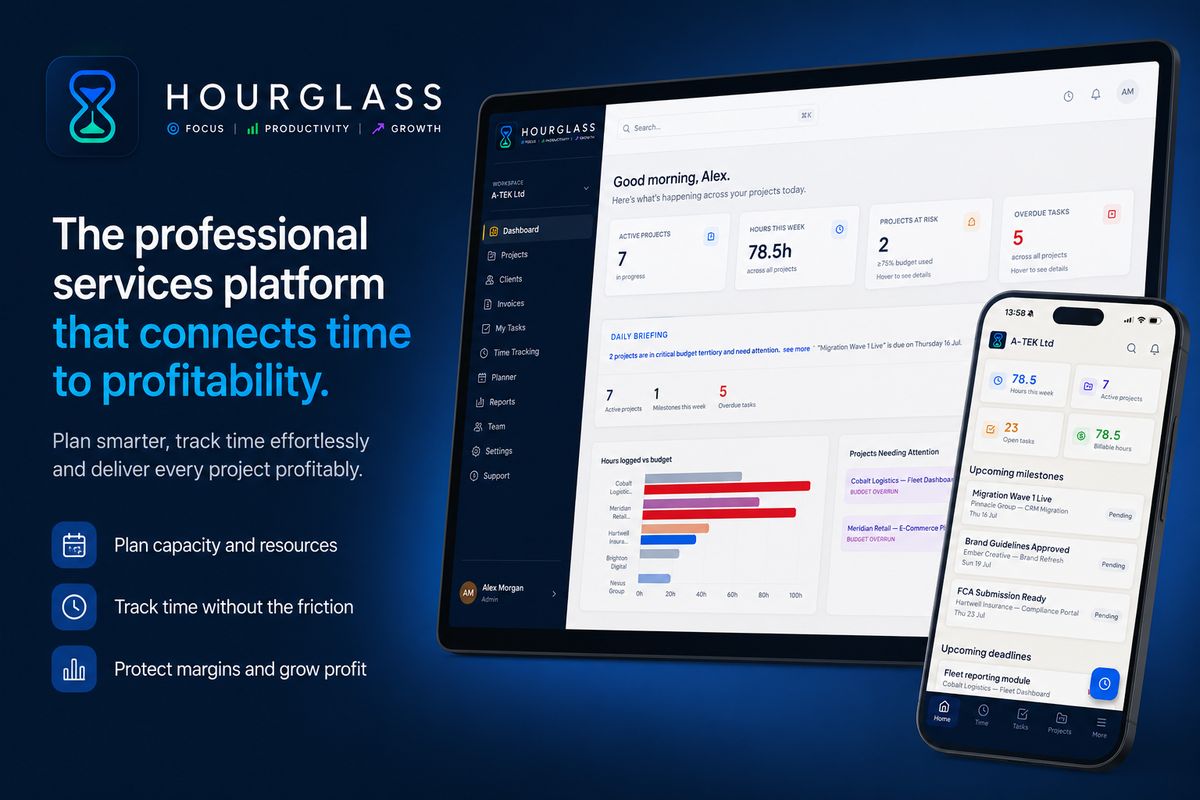
The Hourglass engineer planner is a drag-and-drop scheduling interface showing every team member's week across all active projects. Managers can see immediately who has capacity and allocate work accordingly, with the allocation reflected instantly in each person's utilisation figure. Leave and bank holidays are reflected automatically in capacity calculations. Project budgets are connected to the resource planner so allocation decisions can be evaluated against budget remaining before they are confirmed. For growing firms, the forward-looking capacity view also supports hiring decisions: when the committed project pipeline is consistently approaching the team's capacity ceiling, the data provides an objective basis for a headcount conversation.
Frequently Asked Questions
What is the difference between resource planning and capacity planning?
Resource planning matches specific people to specific projects based on skills, availability, and requirements. Capacity planning is the broader discipline of understanding whether the firm as a whole has enough capacity to meet committed and anticipated demand. Resource planning operates at the individual and project level; capacity planning operates at the firm level.
How far ahead should professional services firms plan resource allocation?
Most firms benefit from planning resource allocation four to eight weeks ahead for existing team members, and reviewing the horizon monthly for the following three months. Planning further ahead than eight weeks at the individual allocation level is often counterproductive — project timelines shift, new work appears — but maintaining a high-level view of pipeline demand three months out is valuable for hiring and contractor decisions.
What is a healthy utilisation rate to plan towards?
When planning resource allocation, most professional services firms should plan to approximately 80–85% of each person's available capacity, rather than 100%. The remaining 15–20% acts as a buffer for unplanned requests, sick days, internal meetings, and the inevitable scope creep that extends most projects beyond their initial plan. Allocating to 100% of theoretical capacity creates a plan that falls apart the moment any assumption is wrong.
How should resource planning change as a firm grows?
At under 15 people, resource planning is often manageable as an informal conversation supplemented by a simple visual tool. Beyond 15–20 people, a dedicated tool with a live view of allocations and utilisation becomes necessary. Beyond 50 people, resource planning usually requires a dedicated operations or resource management function with clear authority to make allocation decisions across project teams.
Hourglass is a professional services delivery platform built for UK agencies and consultancies. Start your free trial at hourglass.syncrasoft.com — no credit card required.